Preview--:--Know what every shift pays, before payday.
Shift planner and paycheck calculatorKnow what every shift pays.
Tap a day and pick the shift. The app adds overtime, night, weekend and holiday pay, and shows your paycheck before payday.
- No account
- Works offline
- Data stays on your phone
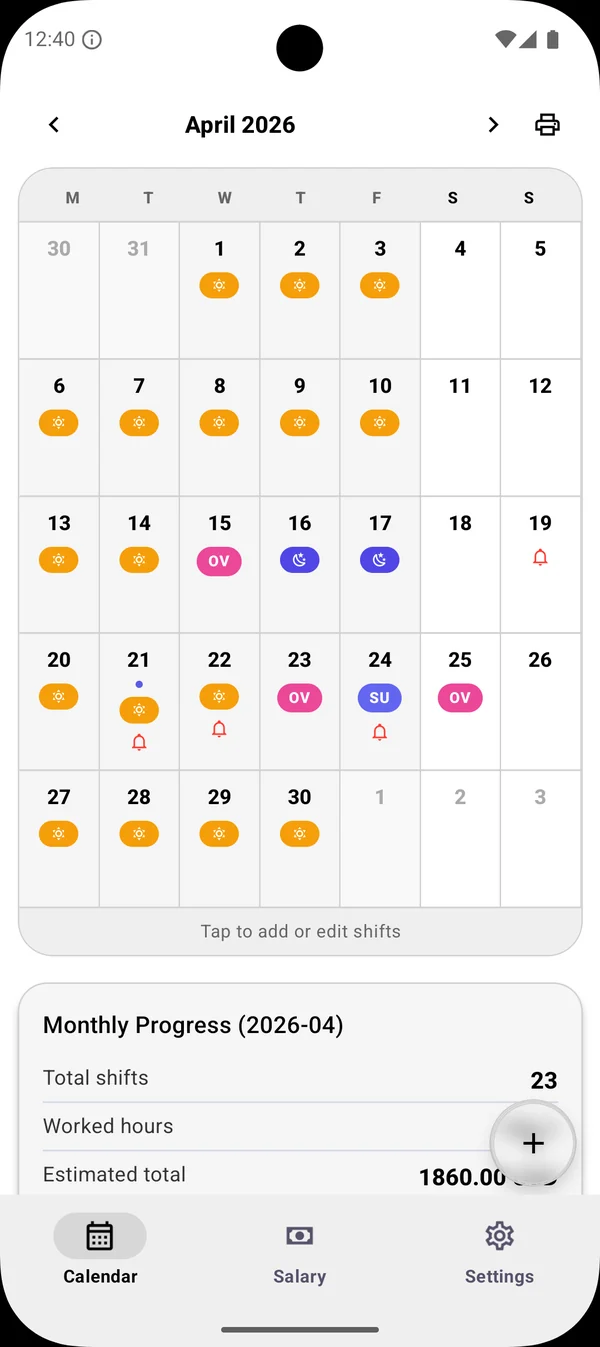
The calendar
Tap a day. Pick the shift.
Each day shows what you are working. The chips below are the ones you see in the app, so the month reads at a glance.
- Day shift
Your usual hours at your base rate.
- Night shift
Gets the night bonus you set.
- OVCustom shift
Its own start, end and short label, like OV for overtime.
- Reminder
A bell marks the days with a shift reminder.
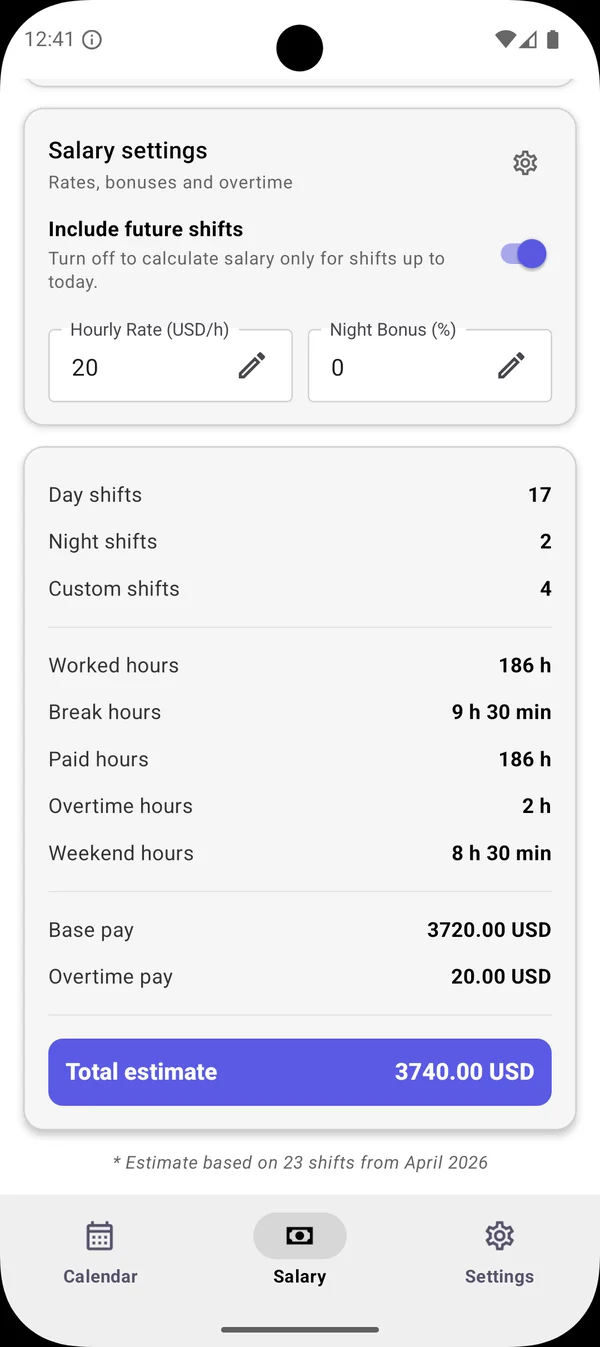
A real month from the app
Know your paycheck before payday.
April 2026: 23 shifts, 186 hours at $20 an hour. Each step is one shift landing in the estimate.
- Day shifts $2,720
- Night shifts $320
- Custom shifts and overtime $700
- Base pay
- $3,720.00
- Overtime pay
- $20.00
- Worked hours
- 186 h
- Total estimate
- $3,740.00
Pay rules
Set it up like your contract.
Enter your rates once. Every shift you add is counted with them, and the app can also estimate tax and deductions.
- Hourly rate
- $20
- Overtime
- 1.5×
- Night bonus
- +25%
- Weekend bonus
- +10%
- Holiday bonus
- +100%
- Future shifts
- On
Base pay for each paid hour.
Daily and weekly thresholds.
Extra percent on night shifts.
Extra for weekend hours.
Extra for public holidays.
Whole month, or only up to today.
Example values. You enter the ones from your contract.
Your data
Your schedule stays on your phone.
- No account
Open the app and add a shift. There is nothing to sign up for.
- Works offline
The calendar and the pay math work without internet.
- Saved on the device
Your shifts and rates are stored on your phone.
The app uses the internet for ads, purchases, legal pages and usage analytics. Read the privacy policy
Who it is for
NursesHospital staffFactory workersSecurity guardsWarehouse teamsRetail staffanyone on rotating, night or irregular shifts.
Free calculators
Try the math in your browser.
Three quick calculators with the same rules the app uses. No sign-up, nothing to install.
FAQ
Questions before you install.
Is Shift Calendar & Paycheck free?
Yes. It is free to download on Google Play and the App Store. The free version may show an ad before PDF export or multiple selection, and optional rewarded ads can unlock premium themes for a while. An optional Pro subscription removes ads and adds multiple calendars, advanced stats, backup and restore, full history and all themes. The store shows the price before you buy.
Does it work offline?
Yes. The calendar and the salary calculations work offline, and your shifts and pay settings are stored on your phone. The app uses the internet for ads, purchases, legal pages and usage analytics.
How is the paycheck estimate calculated?
You set your hourly rate, your overtime multiplier with daily and weekly thresholds, and your night, weekend and holiday bonuses. The app applies them to every shift in the month and shows the gross total. It can also estimate tax and deductions.
Does it calculate night shift and overtime pay?
Yes. Night shifts get the night bonus percentage you set, and overtime follows your daily and weekly thresholds and your multiplier.
Do I need an account?
No. There is nothing to sign up for. Open the app and add your first shift.
Who is it for?
Nurses, hospital staff, factory and warehouse workers, security guards, retail staff and anyone on rotating, night or irregular shifts who wants to know their paycheck before payday.
Add your next shift. See the month.
Free on Android and iPhone. Pro is optional.